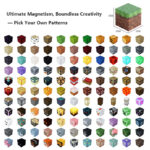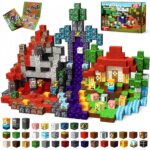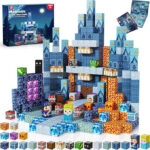
MagPix Builder is a creative building utility mod that lets players build with MagPix-style voxel blocks, scan a selected area, and export a material list as CSV or JSON.
It is designed for builders who want to plan voxel-style creations, count the blocks used in a build, and generate a clear parts list for reference.
Features
- Adds MagPix-style voxel blocks
- Includes a MagPix Scanner tool
- Select two corners of a build area
- Shows a cube wireframe preview for the selected region
- Scans blocks inside the selected area
- Counts supported MagPix Builder blocks
- Exports material lists as CSV
- Exports material lists as JSON
- Includes block ID, block name, SKU, quantity, estimated price, and product link
How It Works
- Build with MagPix Builder blocks.
- Hold the MagPix Scanner.
- Right-click to select the first corner.
- Right-click again to select the second corner.
- Check the wireframe selection box.
- Scan the selected area.
- Export the material list.
Use Cases
- Planning voxel-style builds
- Counting blocks in a selected structure
- Creating material lists for creative projects
- Estimating how many pieces a build needs
- Exporting build data for later reference
- WIKI
Download
Current Status
MagPix Builder is in early development.
The first version focuses on local building, area scanning, cube wireframe selection, and CSV/JSON material list export.
More blocks, better UI, schematic support, and web integration may be added in future versions.
Disclaimer
MagPix Builder is an independent Minecraft mod.
This project is not affiliated with, endorsed by, sponsored by, or officially connected to Mojang, Microsoft, or Minecraft.